KYC (Know Your Customer) update is one of the most overlooked but essential steps to ensure seamless Provident Fund (PF) withdrawals, transfers, and claim settlements. An outdated or incorrect KYC can lead to claim rejections, delays, or even complete inaccessibility of your PF account.
In this guide, we explain why KYC is important, how to update it through the UAN portal, and what to do if your employer is unresponsive.
🔍 Why KYC Update is Important for EPF
✅ Ensures smooth PF withdrawal and transfer
✅ Reduces chances of claim rejection
✅ Prevents mismatch issues between Aadhaar, PAN, and bank records
✅ Mandatory for online claim submission
📑 Documents Required for EPF KYC Update
Here are the key documents you’ll need:
| Document | Purpose |
|---|
| Aadhaar | Identity + address proof (mandatory) |
| PAN | Required for tax verification (especially for claims over ₹50,000) |
| Bank account details | IFSC, account number (mandatory) |
| Cancelled cheque/passbook | Not required as of 2025 reforms |
| Passport / DL / Voter ID | Optional, for additional verification |
Under EPF Scheme 2026, you're no longer required to upload a cancelled cheque or attested passbook copy for most online claims once Aadhaar, PAN, and bank details are verified and matched to your UAN.
Not sure which of these is missing or mismatched on your account? Get a free consultation call with our EPF experts for personalized assistance with PF withdrawal or transfer.
Step-by-Step: How to Update KYC on the EPFO Member Portal
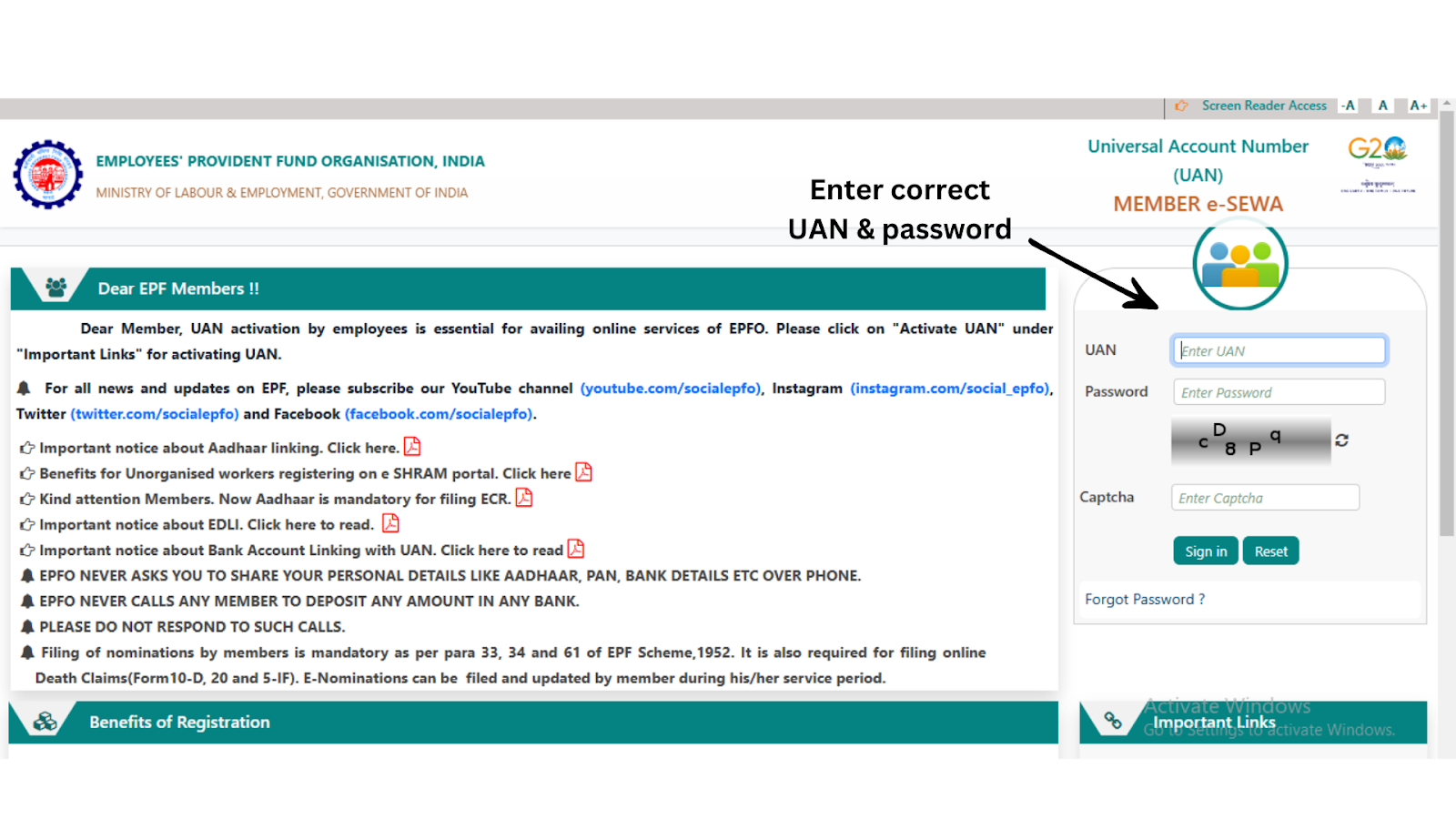
Step 1: Login to the UAN Portal
Go to https://unifiedportal-mem.epfindia.gov.in/
Login using your UAN and password.
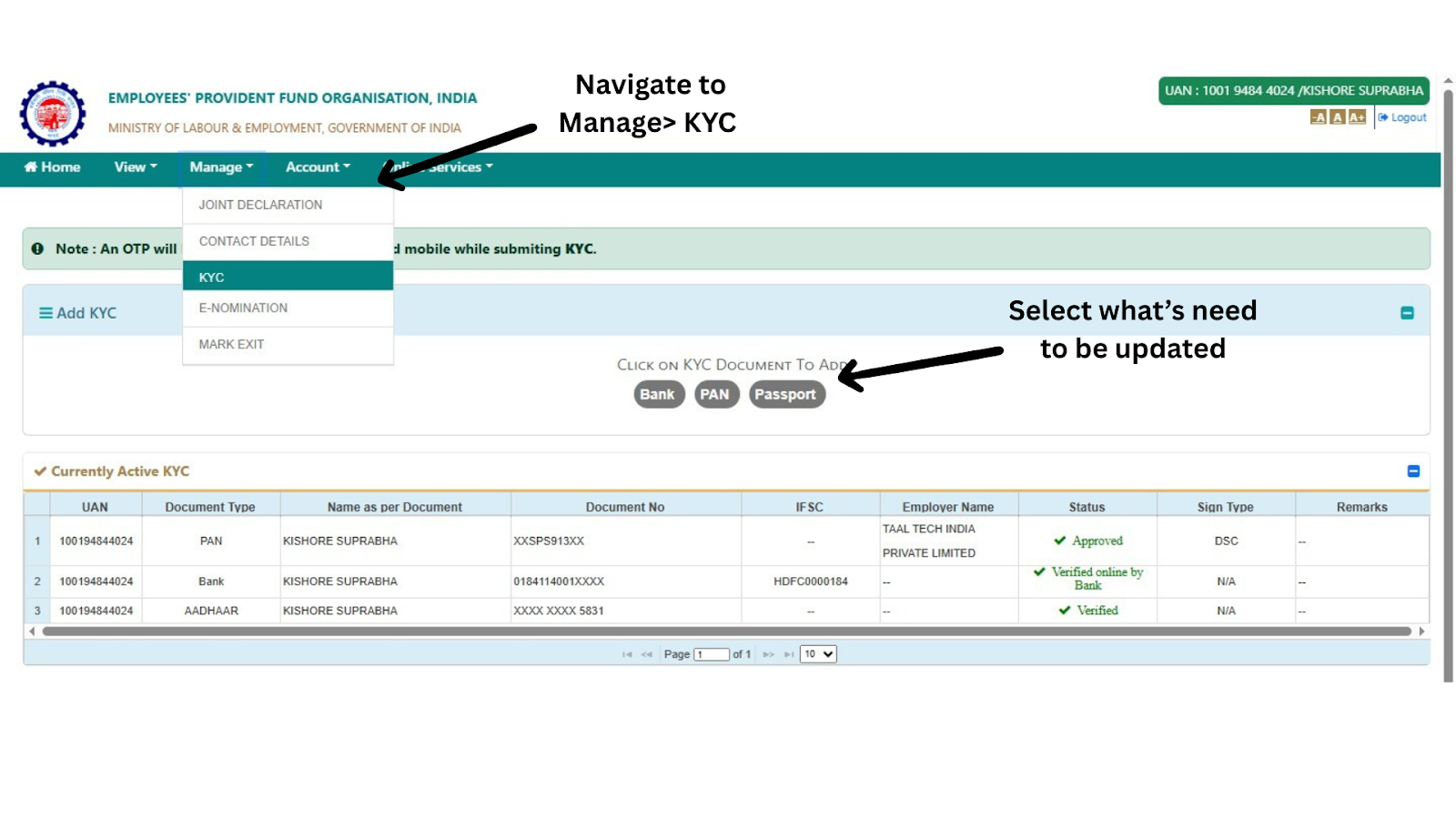
Step 2: Navigate to ‘Manage’ > ‘KYC’
Click on the ‘KYC’ option under the 'Manage' tab.
Step 3: Enter Your Details
Fill in the details like Aadhaar number, PAN, bank account details, etc. Upload the scanned copies.
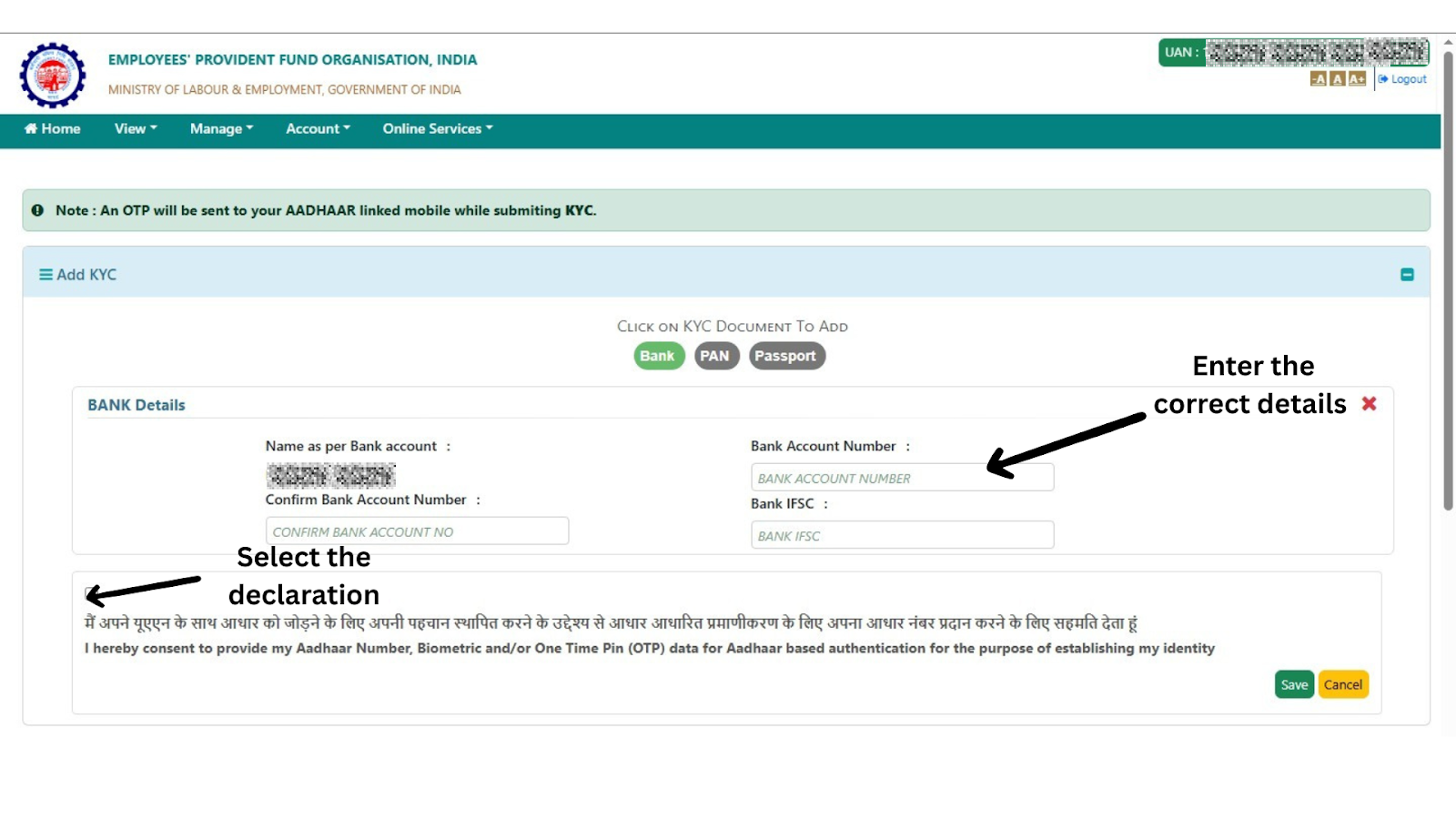
Step 4: Save and Submit
Click on “Save.” The status will show as “Pending for employer approval.”
Step 5: Wait for Employer Approval
Your employer needs to digitally approve the KYC update. Only then it reflects as "Approved by Employer and Verified by UIDAI."
Employer/Bank Approval, Simplified Under EPF Scheme 2026
Here’s what changed this year:
| Field | Approval Required? |
|---|
| Aadhaar | Auto-verified via UIDAI |
| PAN | Auto-verified via Income Tax |
| Bank | Verified via NPCI, no employer approval needed |
❗ If the details match your Aadhaar name and DOB, verification is instant.
If your details don't match exactly, or your account isn't fully digitally verifiable, you may still need a Joint Declaration correction, now available through DigiLocker.
How to Check KYC Status
- Go to UAN portal > ‘Manage’ > ‘KYC’
- Approved KYC will be shown under “Digitally Approved KYC”
- You can also check KYC status in UMANG App > EPFO > View Profile
Final Words
EPFO has taken major steps to simplify KYC updates and reduce employer dependence, and these carried forward into EPF Scheme 2026. If your KYC is still pending, now is the time to fix it, so your PF money doesn't get stuck when you need it most. For the full picture of how KYC fits into the current withdrawal rules, see our complete PF withdrawal rules guide.
💡 Pro Tip: Once your KYC is verified, you can also auto-transfer PF when you change jobs.
Check My PF for Free or Book a Free Expert Consultation if your KYC is stuck or your employer isn't responding.
Follow FinRight for EPF and PF updates: Reddit | X | Instagram | LinkedIn | Facebook | YouTube